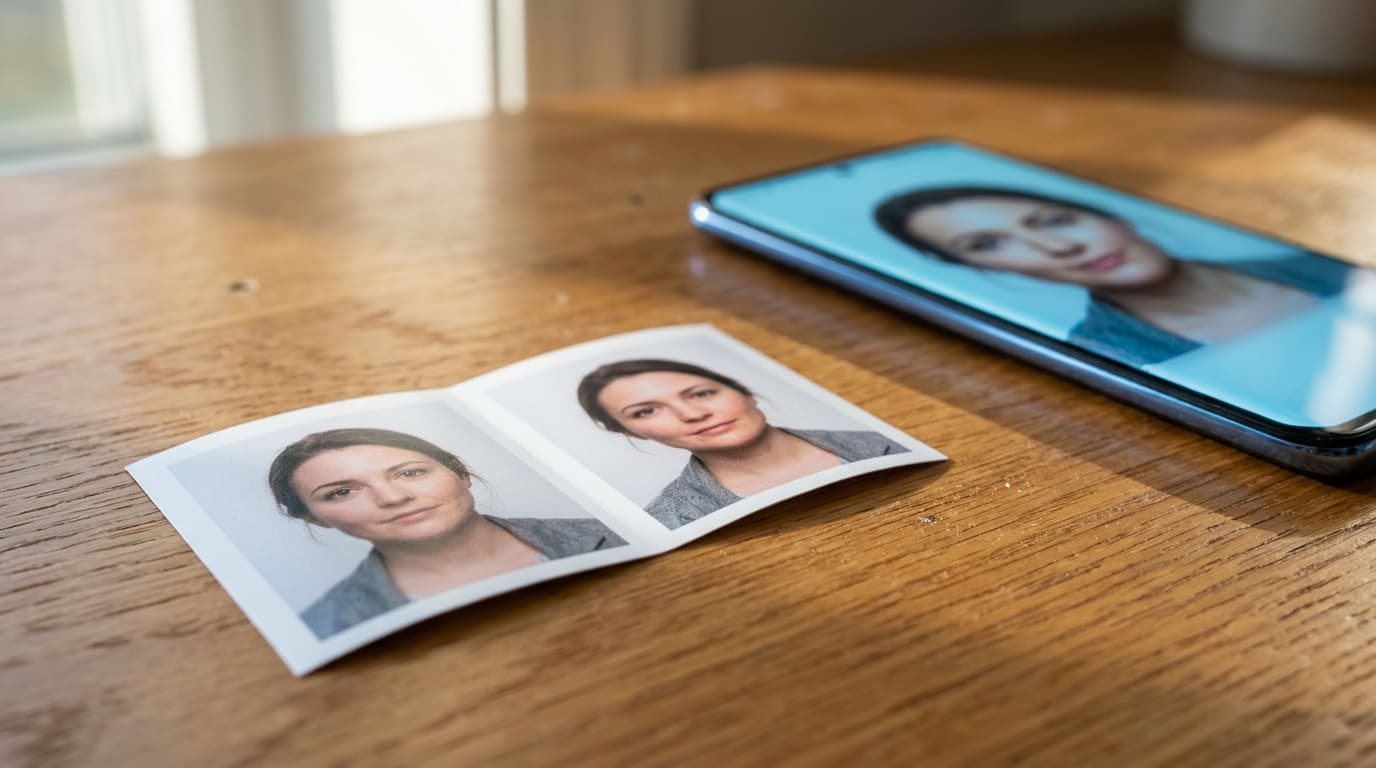
AI and passport photos
AI Passport Photo? Read This First
It takes ten seconds in an app and the result looks perfect. That is exactly the problem. Before you send an AI-made or touched-up photo with your passport application, here is what the official rules say and why it will come back.
No, you cannot use AI for a Canadian passport photo: Canadian passport, citizenship and PR card photos must be original photos taken in person by a commercial photographer, and the official rules say that photo editing software, filters and AI tools all count as alteration. A passport photo must also be taken no more than six months before you apply, and an application with an altered photo is rejected. That covers a face generated from scratch, but also the small fixes apps make without asking: a smoothed complexion, a new white background, a shadow erased. Below is what counts as altered, the traps hidden in your phone, and how to get a photo that goes through the first time.
Why an AI Passport Photo Gets Refused
An AI passport photo fails before anyone looks at your face. The first rule is that the photo must be taken in person by a commercial photographer or photo studio. A picture an app generates, or rebuilds from your selfie, was not taken by anyone.
The second rule closes the door completely: the photo must not be altered or edited in any way, and the official wording names photo editing software, filters and AI tools.
There is a practical reason behind it. Your passport photo is the picture border officers and facial recognition systems compare with your real face. An image that looks a little better than you is, for them, an image that looks a little less like you.
What Counts as an Altered Passport Photo
An altered passport photo is any photo that has been edited or changed in any way, by any means. The list is longer than most people expect. It includes:
The background. Changing it, cutting yourself out and pasting yourself onto white, or removing a shadow behind you.
Your appearance. Smoothing wrinkles, erasing a blemish, scar or birthmark, changing your hair colour, or reshaping your eyes, nose, mouth or ears.
Fixes that feel harmless. Removing glare from your glasses, correcting red eye, adjusting the colour, brightness, contrast or sharpness, or cropping around your head and shoulders.
In short, the photo has to be what the camera saw. If the background has a shadow or your glasses catch the light, the answer is to take the photo again, not to fix it.
AI and Editing in Passport Photos: Allowed or Not
| Requirement | Specification |
|---|---|
| Photo made or rebuilt by an AI app | Not allowed: not taken by a photographer, and AI tools count as alteration |
| Selfie or photo taken at home | Not allowed: must be taken in person by a commercial photographer or studio |
| Filters, beauty mode, skin smoothing | Not allowed: filters count as alteration |
| New or whitened background, shadow removed | Not allowed: the background must be real, as photographed |
| Glare or red eye removed | Not allowed: retake the photo instead |
| Colour, brightness or sharpness adjusted | Not allowed: counts as alteration |
| Cropped around the head and shoulders | Not allowed: counts as alteration |
| Digital file for online renewal | JPEG saved directly from the camera's original file; no scans of prints |
| Age of the photo | Taken no more than six months before you apply |
| Original photo by a commercial photographer | Required |
Untouched vs AI-Retouched Passport Photo

Acceptable: an original photo, straight from the camera. Real skin texture, nothing smoothed or changed.
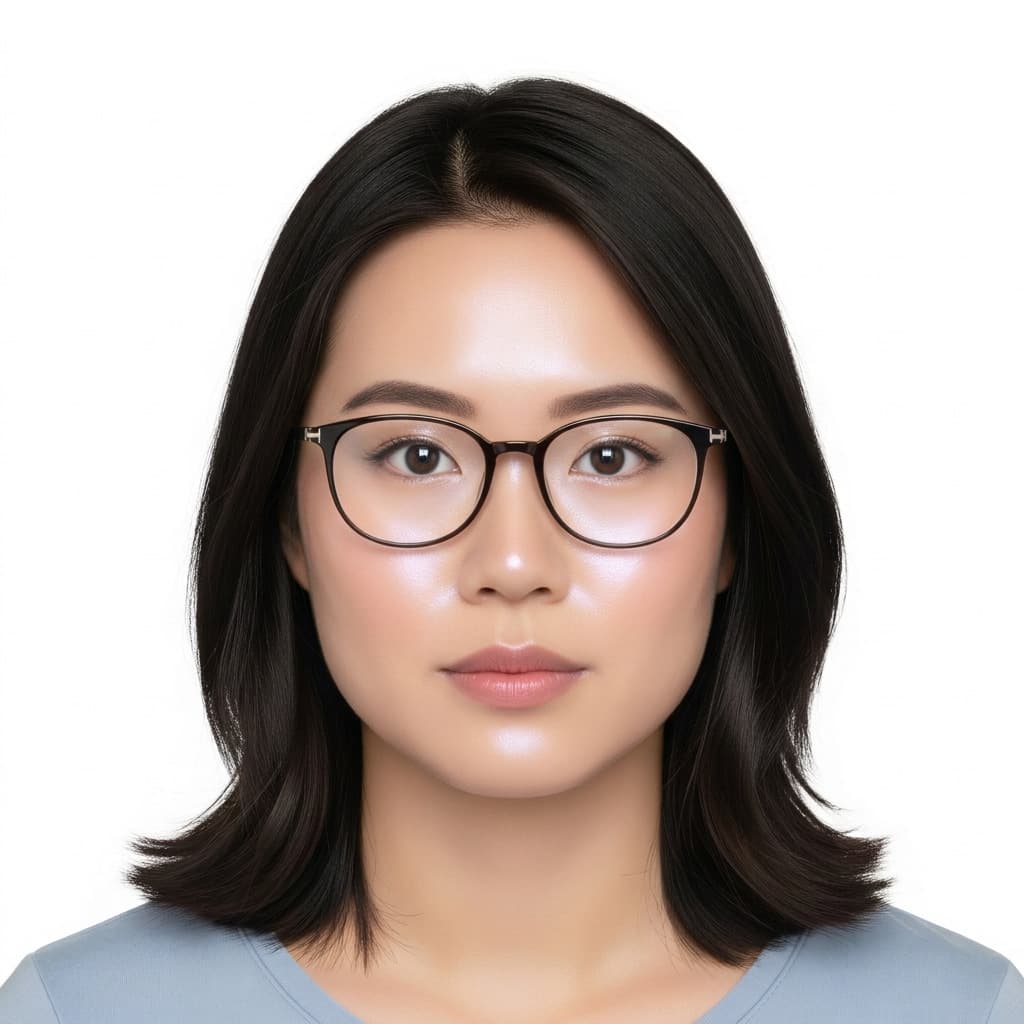
Unacceptable: the same face after an AI touch-up. Smoothed, shiny skin with an unnatural glow counts as alteration.
Phone Beauty Mode and Passport Photo Apps
Many phones edit a photo before you even see it. Beauty mode smooths skin, portrait mode blurs the background, and some cameras brighten faces automatically. Each of these is a filter, and filters are named in the rules.
Passport photo apps add another layer. Most of them work by cutting your face out and placing it on a clean white background, which is exactly the cut-and-paste the rules list as an alteration. Some go further and redraw your hair, clothing or lighting with AI.
And even an untouched selfie fails for a simpler reason: a Canadian passport photo has to be taken by a commercial photographer, not by you or a friend at home.
Real Background vs Cut-Out Passport Photo
Acceptable: a real plain background, lit evenly in the studio.
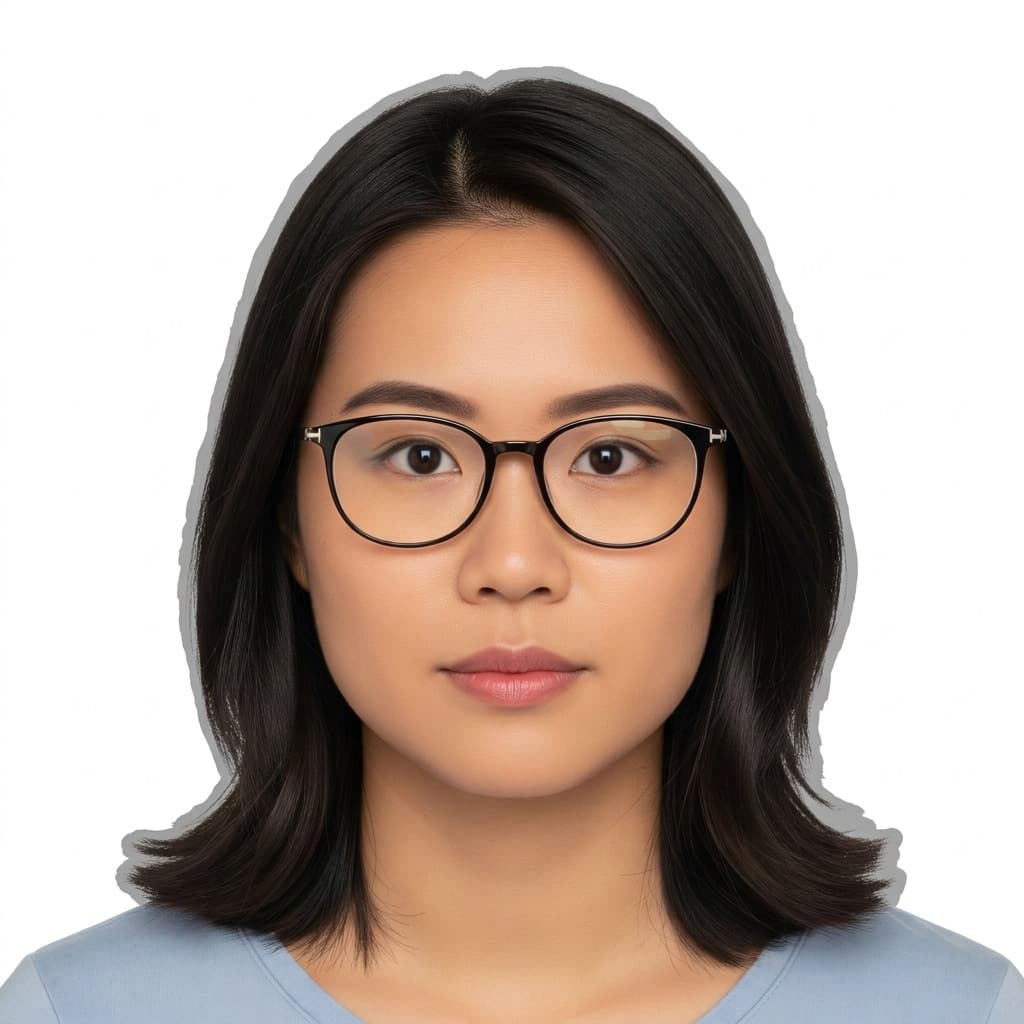
Unacceptable: the face cut out by an app and pasted onto white, with a hard halo around the hair.
Digital Passport Photos for Online Renewal
Renewing a Canadian passport online? You upload a digital photo instead of mailing prints, and the same rules apply, with a few of their own.
The digital passport photo must be taken in person by a commercial photographer, in JPEG format, and saved directly from the original file the camera captured. A scan of a printed photo is not accepted, and neither is any version that has been edited.
So ask the photographer for the digital file at the visit, and upload it as you received it. Do not run it through an app to resize it, brighten it or crop it first.
Can You Use AI for Passport Photos From Other Countries?
The answer is almost always the same. Other countries' passport and visa rules also ask for an unedited, recent photo of you, and some now warn about filters and AI by name. The British rules, for example, say the photo must not be altered by computer software.
Before you apply for another country's passport or visa, check its official photo page, and tell the photographer which country the photo is for. Sizes and backgrounds differ from the Canadian format.
Related Services and Guides
The surest way to an unedited photo that passes is our Canadian passport photo service, where current prices are listed too. For the size, face height and back-of-photo rules, read our Canadian passport photo requirements guide, and how to prepare for a passport photo before you come in. Need extra copies later? Our photo printing service can help.
Official Resources
Rules can change, so check the official pages before you apply: the IRCC passport photo requirements, the IRCC permanent resident card photo rules and the IRCC citizenship photo specifications.
Pro Tips
- 1Never send a photo made or rebuilt by an AI app: it was not taken by a photographer, so it fails the first rule.
- 2Turn off beauty mode and portrait mode, but remember a selfie is not accepted for a Canadian passport anyway.
- 3If there is a shadow or glare, retake the photo. Removing it with software counts as alteration.
- 4Do not crop, brighten or resize the digital file before you upload it. Use it exactly as the photographer gave it to you.
- 5Have the photo taken close to your application date: a Canadian passport photo must be less than six months old.
- 6Applying for another country's passport? Tell the photographer which country, so the size and background are right.
Frequently Asked Questions

Skip the App, Get It Right the First Time
Walk into our Jean-Talon studio for a real, unedited Canadian passport photo that meets every official rule. No appointment needed, and you are out in about ten minutes.